




Turn a plain web link in your note into a bookmark with the site's real title and icon.
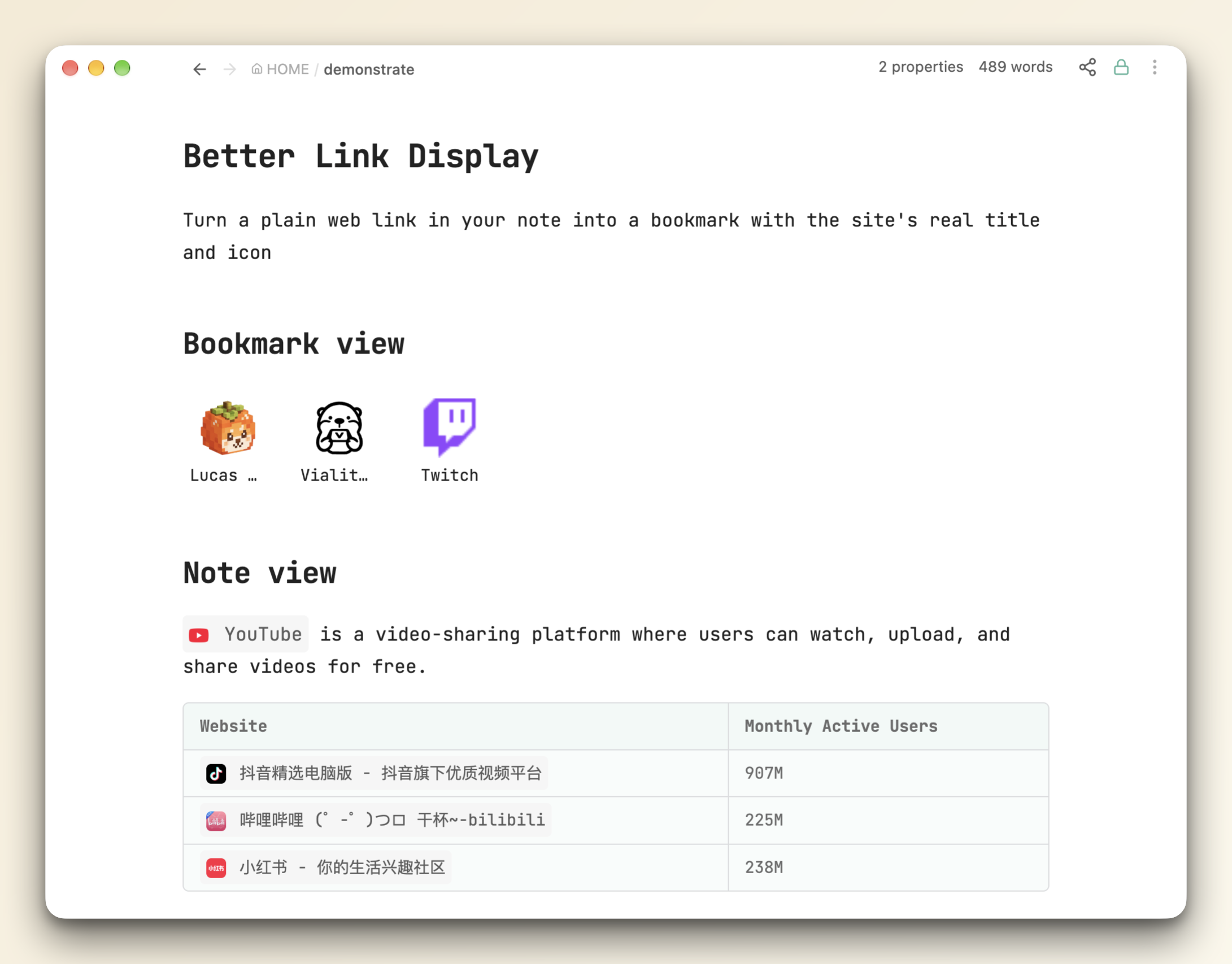
It's still an ordinary Markdown link — the icon is inlined as text, so the bookmark keeps working with the plugin disabled, in another vault, or in any other Markdown app.
⭐ How to use
Option 1: Create a bookmark grid. Right-click in a note and choose "Create bookmark view", then add website links to display them in a grid.
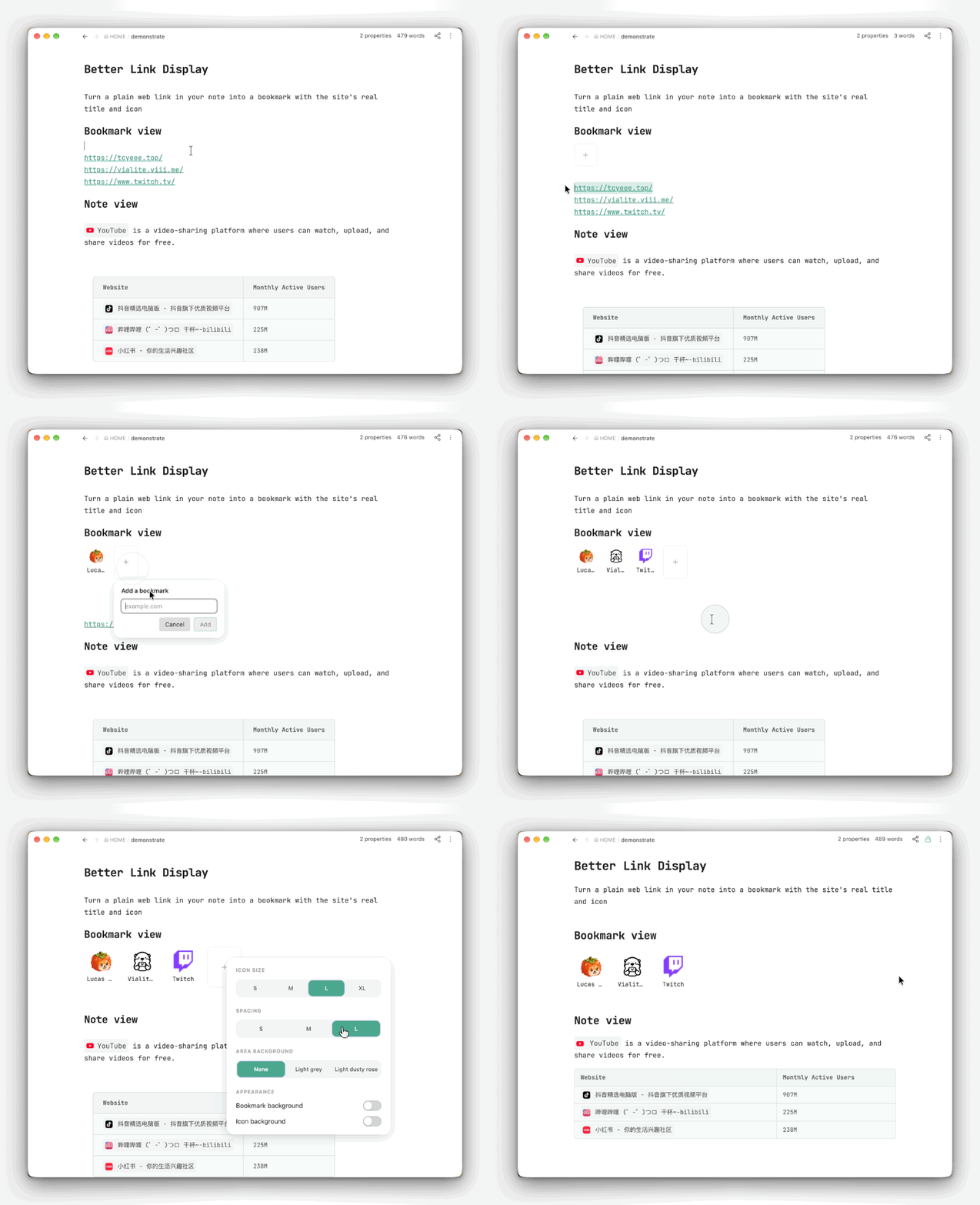
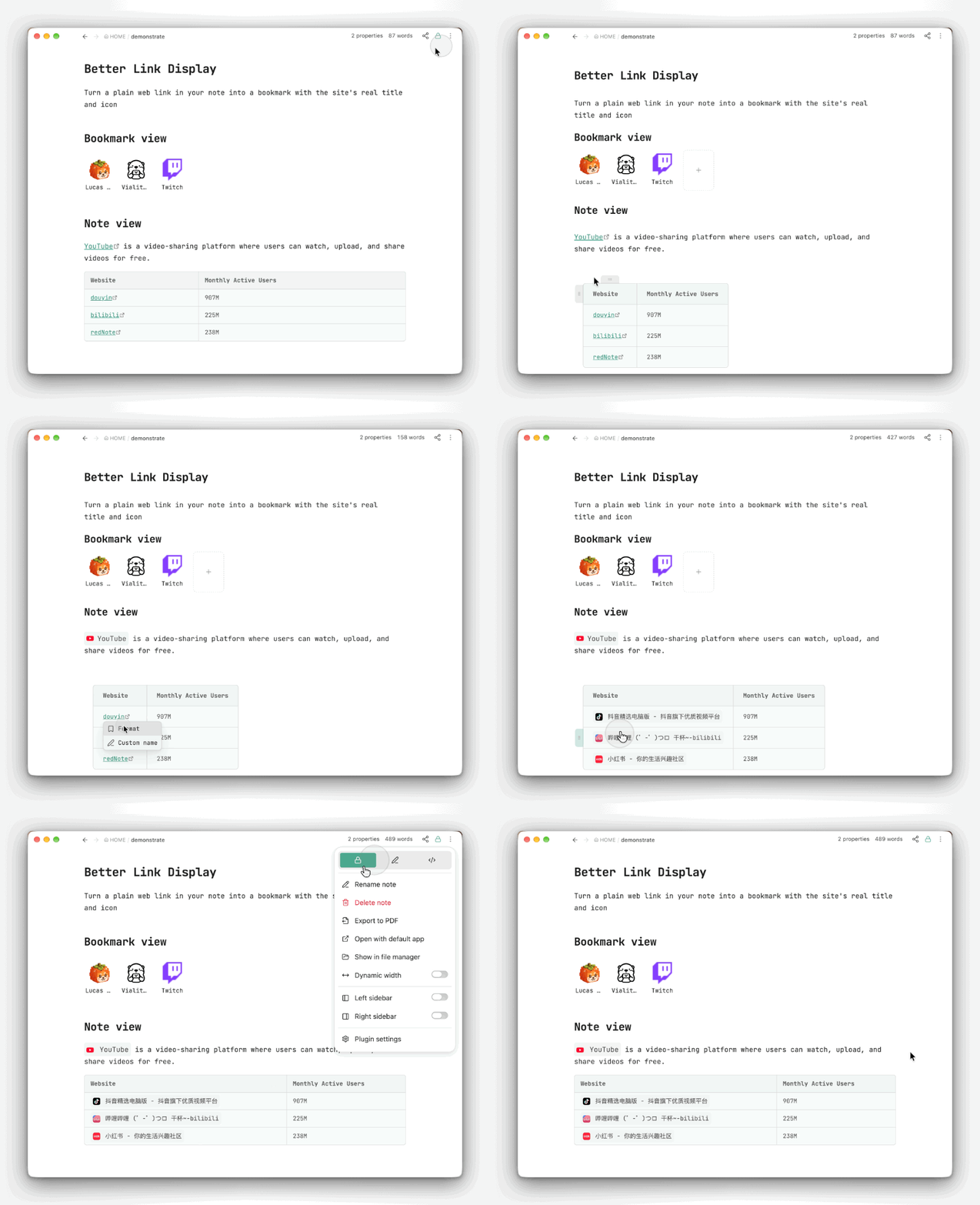
Option 2: Format an existing link. Hover over a website link and click "Format" to turn it into a bookmark with the site's icon and title.
⬇️ Install
Community plugins → Browse → search Better Link Display → Install → Enable.
Requires Obsidian 1.13+, desktop and mobile.
Setup
Titles come from a small online service, Bookmarkify, so you need a free token once:
- Sign in at bookmarkify.cc and create a token.
- Paste it into Settings → Better Link Display → Access token.
- Click Test.
The token is read-only — it can only look up a page's title and icon.
⚙️ Settings
| Setting | |
|---|---|
| Language | English / 中文, following Obsidian by default. |
| Preview | Live sample of the two options below. |
| Background | Soft grey card behind formatted links. Off by default. |
| Border | Light outline around formatted links. Off by default. |
| Access token | Your lookup key, with a Test button. |
| Cache location | Vault-relative folder where bookmark-grid icons and titles are cached. |
| Cache | Icons and titles already looked up for bookmark grids, with a Clear cache button. |
Background and Border are purely visual and change nothing in your notes.
Notes
- No menu appears in Reading view, inside code blocks or frontmatter, or on image embeds.
- A bare URL containing brackets —
https://en.wikipedia.org/wiki/Foo_(bar)— is skipped, since Markdown can't tell where it ends. Wrap it in<…>or write it as[text](url). - Because the icon is inlined, formatted lines look long in Source mode (~1,300–4,800 characters per icon). Live Preview and Reading view show only the icon and title.
- Nothing is sent anywhere until you click Format: one lookup request, one icon download (
httpsimages only). - The Format link under cursor command name only changes language after a restart.